“STOP Overpaying! Build a Professional Home Studio Under ₹1 Lakh”
🎙️ Introduction: What a Home Studio Actually Needs
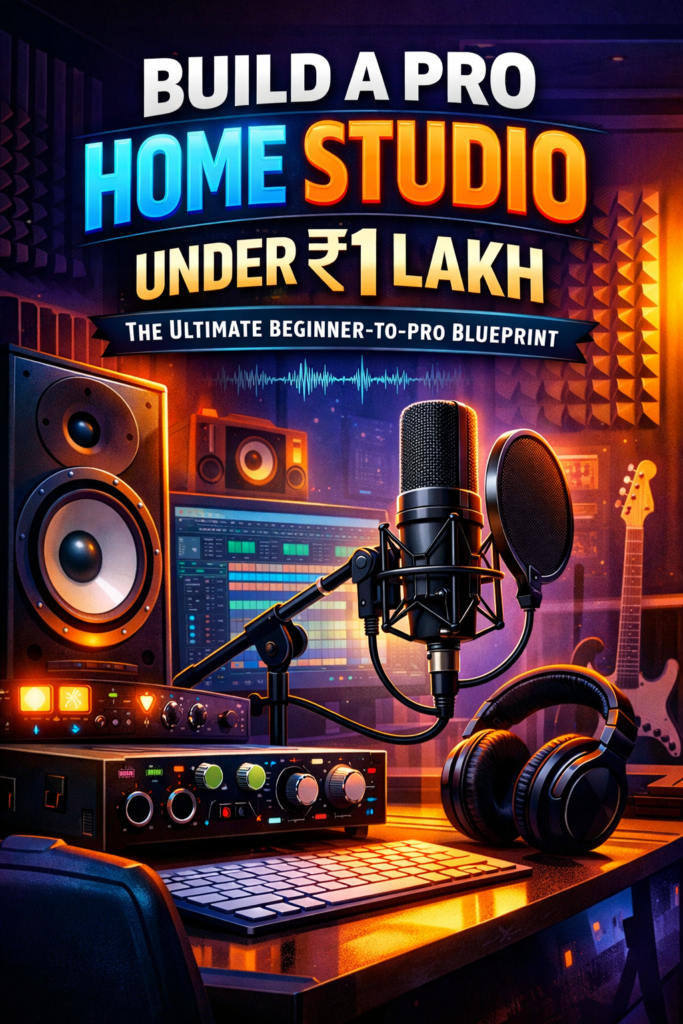
A functional home studio consists of these essential components:
Computer or Laptop (you likely already own one)
Audio Interface – the bridge between your instruments/mics and your computer.
Microphone(s) – for vocals, acoustic instruments.
Studio Monitors or Good Headphones – for mixing & reference listening.
Headphones for Tracking – to monitor while recording.
Accessories – mic stand, pop filter, cables, acoustic panels.
DAW (Digital Audio Workstation) Software – to record, edit & mix.
Even basic home studios can make music suitable for YouTube, Spotify, and podcasts.
Below is a balanced gear list chosen to keep total cost below ₹1 Lakh while giving you studio-usable results.👇
🛒 Recommended Gear List (Under ₹1,00,000)
🎧 Monitoring & Recording
Yamaha Powered Studio Monitor – a quality powered monitor for accurate mixes (~₹18,900 per unit; buy 2 for stereo).
PreSonus Eris 3.5 Studio Monitors – alternative compact pair if space/budget is tighter (~₹11,990).
🎛️ Interface
Audio Array AI‑04 Audio Interface – simple 2-in/2-out interface to connect your mic/instrument to your DAW (~₹4,599).
Note: You could upgrade to a Scarlett Solo/Focusrite or Audient iD4 later — but this keeps initial cost low.
🎙️ Microphones
Digimore Condenser Microphone Kit – budget condenser with accessories (good starting vocal mic).
Digitek DM 401 RGB USB Condenser Mic – simple USB mic option (can work without an interface if needed).
For a cleaner professional sound long term, consider upgrading to something like an Audio-Technica AT2020 when budget allows.
🎧 Headphones
Sennheiser HD 400S Headphones – good closed/neutral headphones for tracking & monitoring.
Sennheiser HD 650 Stereo Reference Headphones – reference headphones for mixing (optional upgrade).
📦 Other Accessories You’ll Need (Not in Carousel)
These essentials are inexpensive but crucial:
Mic Stand + Pop Filter – ₹800–₹1,500
XLR Cable (if using XLR mic) – ₹400–₹800
Desk & Chair – use what you have (budget ₹3,000–₹7,000 if needed)
Acoustic Foam Panels (DIY or budget) – ₹3,000–₹10,000 depending on room size
🧠 Software & DAW
To record and produce, you’ll need a DAW:
Free/Low-Cost Options:
Audacity (free) – basic audio recording/editing.
Cakewalk by BandLab (free) – powerful multi-track DAW for Windows.
Paid Upgrades:
FL Studio / Reaper – popular for music production (₹4,000–₹10,000).
Logic Pro X (Mac) – pro workflow if you’re on Apple.
🛠️ Step-by-Step Setup Guide
1. Choose the Right Room
Pick a quiet, moderately padded space (curtains, carpets help reduce reflections).
Avoid bare walls facing each other for better sound capture.
2. Connect Your Gear
Audio Interface → Computer: USB connection.
Microphone → Interface: XLR cable + phantom power (condenser mics need this).
Monitors → Interface Outputs: Balanced TRS cables.
Headphones → Interface/Computer: For tracking.
3. Positioning
Monitors should form an equilateral triangle with your listening position.
Mic should be 6–10″ from your mouth with a pop filter in front.
4. Configure Your DAW
Set your input device to your audio interface.
Arm tracks for recording and test levels — avoid clipping (red signal).
5. Acoustic Treatment
Start with DIY panels, curtains, and carpet. Add foam panels/bass traps gradually. Good acoustics make the biggest audible difference.
💰 Budget Breakdown (Approximate)
| Item | Estimated Cost (₹) |
|---|---|
| Audio Interface | 4,500 |
| Monitors (pair) | 24,000 (Yamaha) |
| Mic(s) | 3,000 |
| Headphones | 4,000 |
| Accessories | 8,000 |
| Acoustic Treatment | 6,000 |
| DAW/Software | 8,000 |
| Total | ~₹57,500–₹65,000 |
📈 Final Tips
✔ Start with essentials first. Don’t over-buy gear you won’t use initially.
✔ Learn your tools. A modest setup with skillful use > expensive gear unused.
✔ Upgrade strategically: Better microphone/audio interface/monitors later.
Turn traffic into cash—apply to our affiliate program today!
7129328 unlocker.ai
Solid platform with a great selection of games. The registration was a breeze and I started playing in minutes. Check betmgmcasino